
A cause from the activity
Begin with what the characters are already doing.
Fictional mishaps, recovery and consequences
A rope gives way. A cart tips over. One hurried choice becomes a new problem. Prepare a fictional mishap from what the characters are doing, with people, witnesses and ways to respond.

A mishap with a place in the scene
Turn an ordinary activity into fictional preparation the characters can respond to.
Begin with what the characters are already doing.
Describe those involved and the witnesses around the event.
Read immediate danger, complications and connected events together.
Use recovery resources, intervention points and lasting consequences to continue play.

Follow the developing situation
The illustration represents fictional adventure preparation, not an application screen or generated image output.
Start from the activity, context and severity. Describe people at risk, witnesses and narrative harm limits.
Review cause, immediate effect, complications, intervention points and recovery together before play.
From the current activity to a prepared mishap
Prepare the event without replacing the table’s rules or decisions.
Choose context, severity and whether a real roll should decide whether the accident happens.
Refine cause, people at risk, witnesses, injury limits and available recovery resources.
Choose an optional chain of one to five events and review intervention points.
Edit the preparation, save useful versions and review player knowledge before sharing.
Your fictional mishap toolkit
Keep causes, people, consequences and recovery in one prepared account.
Describe what the characters are doing so the mishap has a place in the current scene.
Prepare a dungeon, city, wilderness, journey, battle, social, downtime or voyage accident.
Choose a small setback or a larger crisis, from low to catastrophic, or leave severity to chance.
Read the trigger, immediate effect, people involved, witnesses, complications and recovery together.
Use an optional chain of one to five events with points where the characters can intervene.
Refine people at risk, witnesses, injury limits and available recovery resources.
Lock sections, make selected changes and edit the account with undo, redo and saved versions.
Save useful accidents, then copy, download or print the DM account or a reviewed player version.
Mishaps across the adventure
Prepare accidents for eight contexts, from a small setback to a major crisis.
Use exploration, work and everyday activity as the setting for a mishap.
Develop events around travel, terrain and what the characters are doing.
Prepare a fictional complication while the table retains combat and social decisions.
Use ongoing activities and journeys at sea as the context for an accident.
Keep the event adaptable
Develop the preparation before bringing it into play.
Lock the material you want to retain while making selected changes.
Revise individual sections and use undo or redo to revisit your choices.
Read cause, people, witnesses, chain and recovery as one prepared situation.
Save different versions and reopen useful preparation for later scenes.
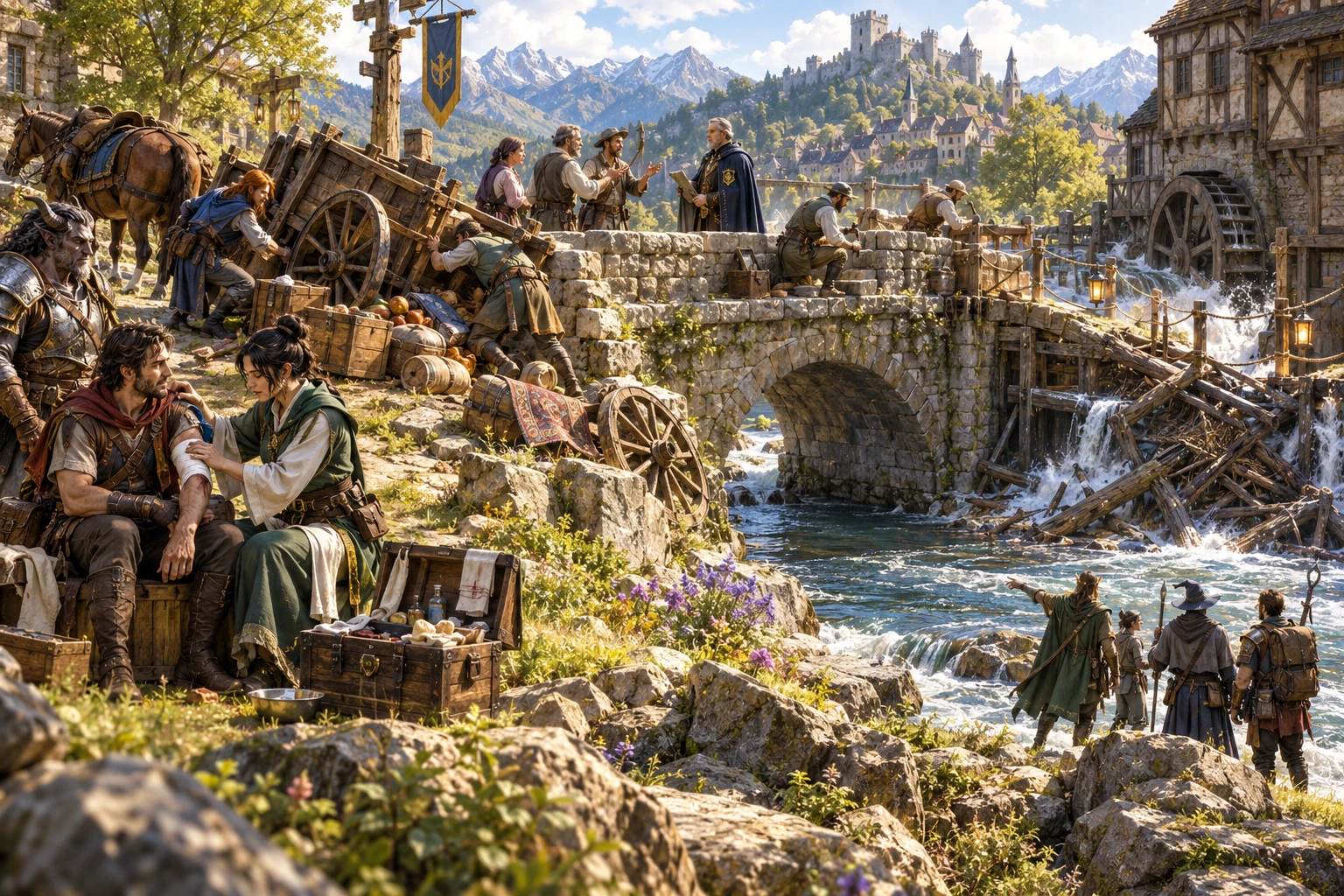
An accident account to review
Read the trigger and immediate effect alongside the people involved and witnesses.
Develop complications, changing situations, recovery resources, first responses and lasting consequences.
Keep the complete Dungeon Master account, then review what the characters should know before sharing a player version.
Decisions stay at the table
Use the result within your campaign’s rules and the current scene.
Prepare a pending accident when a real roll should decide whether it happens.
Set the injury limit you want for the scene; the generator does not apply damage.
Give the characters opportunities to intervene and recover without deciding their response.
Accident Generator does not start or change combat and does not send anything to Combat PRO.
Choose your generator access
The current USD catalogue lists Accident Generator as available. Review the current account offer when choosing access.
Choose Accident Generator as your selected standalone generator for US$1.99 per month.
Select this generator within an eligible pack. Pack capacity and current pricing are shown in your account.
Other generators, Battlemaps and image-credit products have their own access arrangements. They are not included automatically.
Create a free account, choose the required generator access and use Desktop Command Centre on Windows.
VISINVOKE means value
A focused tool for fictional scene complications.

Use what the characters are already doing as the starting point.
Prepare witnesses, recovery resources and opportunities to intervene.
Save useful accidents and return to their cause, chain and consequences.
Keep real rolls, damage, combat and player decisions under the group’s rules.
Build your tabletop toolkit
Each card opens its own product website. Review purpose and access separately; related products do not promise included access or automatic synchronisation.

Open your VISINVOKE products from Windows.

Prepare fictional conditions around the scene.

Develop the places where journeys and discoveries happen.

Build the broader setting around the adventure.

Explore separate adventure environments.
Explore separate fantasy image creation.
Product artwork illustrates fictional scene preparation, not application screens or actual generated image output.
Quick answers
Understand access, severity, chains, revisions and the table’s control.
Prepare a fictional mishap from the current activity and context. The account follows the cause and immediate effect through people, witnesses, complications, recovery and lasting consequences. Review how those details fit your scene before play.
The current USD catalogue lists US$1.99 per month for one selected standalone generator. Accident Generator can also be selected through eligible generator packs. A VISINVOKE account and required generator access are needed; other products have separate access arrangements.
Choose severity from low to catastrophic, or leave it to chance. Use an optional chain of one to five connected events, with intervention points and recovery resources. Review the scale and narrative injury limits you want for the scene.
No. You can prepare an accident before the table’s real roll decides whether it happens. The generator does not replace the dice, apply damage, decide the players’ response or start or change combat.
Lock, change and edit individual sections, use undo and redo, and save different versions. Reopen a saved accident to return to its cause, people, chain, recovery and consequences.
Copy, download or print the complete Dungeon Master account or a player account of what happened. Review what the characters witnessed and remove information they should not know before sharing. Accident Generator does not send anything to Combat PRO.
Continue in VISINVOKE
Create a free VISINVOKE account and choose the required generator access.
Get Desktop Command Centre from your account installer page. Sign in on Windows, then open Accident Generator.